
The Complete Guide to Living With a Litter Box Camera

A quiet corner of the home, a covered box, and a cat who slips away for a few private minutes several times a day. That little routine holds more information about feline health than most owners realize. Frequency, posture, timing, and even the size of the deposit can shift days or weeks before other symptoms show up. The trouble is, no one is watching, and the details vanish the moment the cat walks away. A litter box camera fixes that gap by turning an invisible habit into a stream of clear, dated evidence you can review whenever something feels off. This guide walks through the whole journey step by step, from deciding whether you actually need one to placing it correctly, reading the footage without getting overwhelmed, and folding the insights into a calmer daily rhythm. Whether you share your home with one senior cat or a busy multi-cat household, the process below is designed to be practical, low-fuss, and genuinely useful.
Understanding What a Litter Box Camera Really Does
Before wiring anything up, it helps to understand what these devices are actually for. A litter box camera is not a novelty gadget or a way to spy on your cat. It is a small, motion-triggered recorder pointed at the box, designed to capture short clips whenever a cat enters, uses, and exits. Instead of watching hours of empty footage, you get a tidy log of visits, each tagged with a timestamp and, on smarter models, a short summary of what happened inside. Over a week, this log becomes a health baseline. Over a month, it becomes a pattern you can spot changes against. That is the entire point.
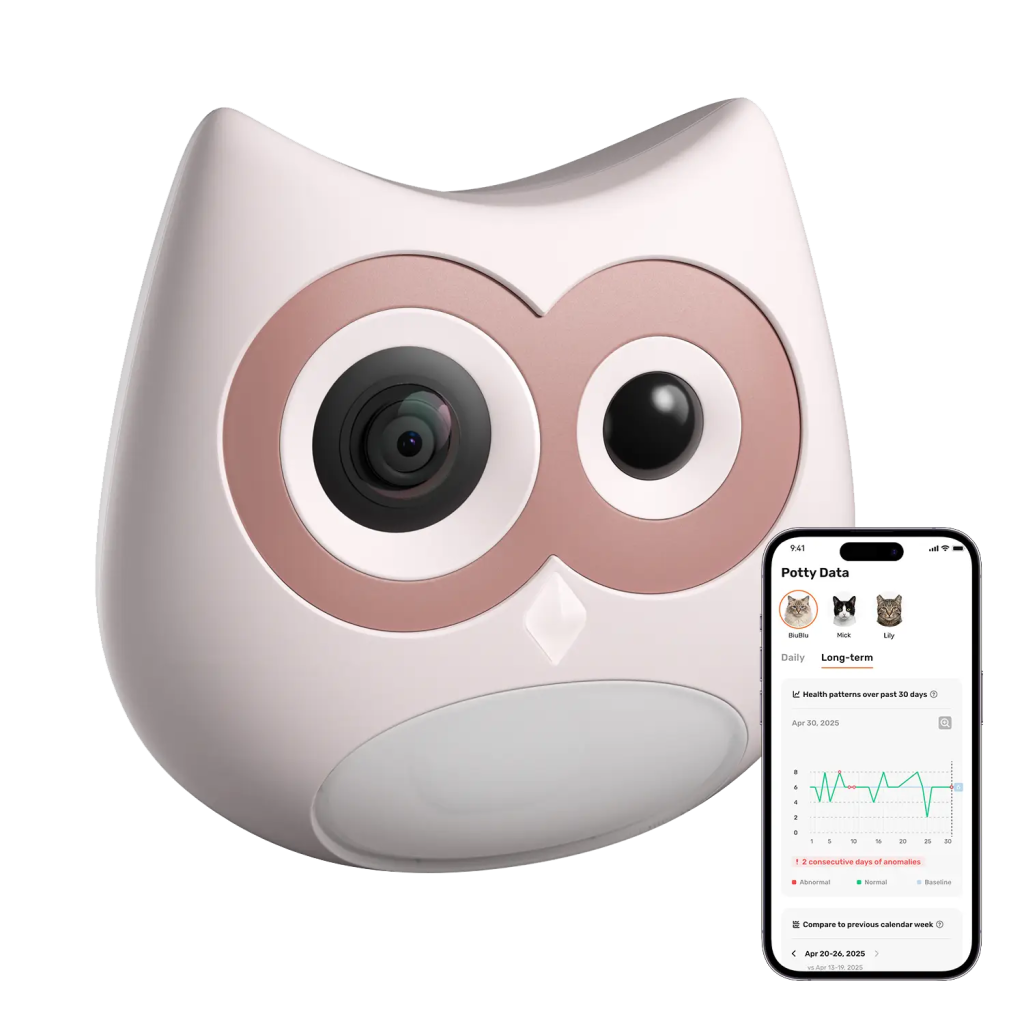
Owners often expect a camera to be intrusive, but the good ones are the opposite. They sit quietly, record only the visit itself, and stay out of the cat’s way. The value comes from consistency, not from constant surveillance. A cat who normally visits three times a day and suddenly visits nine, or who used to spend twenty seconds inside and now spends four minutes, is telling you something. Without a record, that shift is almost impossible to catch until behavior changes more dramatically.
Deciding Whether You Need One
The clearest candidates are households with senior cats, cats managing a chronic condition such as kidney disease or urinary issues, and multi-cat homes where it is genuinely hard to know who did what. If you have ever stood over the box asking which cat produced the clump you are worried about, a camera answers that question in seconds. Owners of new kittens also benefit, since litter habits during the first year can flag developmental or dietary issues early. If your cat is young, healthy, and the only feline in the house, a camera is optional. If any of those variables shift, it becomes a real tool.

The other consideration is your own routine. People who travel, work long shifts, or share pet care across a household benefit the most, because the camera acts as a shared memory. Anyone can open the app, scroll through the day, and see exactly what happened without relying on the person who was home. That shared visibility often does more for pet care than any single feature on the device itself.
Setting Up the Device Correctly
Placement is the first thing to get right, and it is easier than it sounds. Choose a spot that keeps the camera stable, gives it a clean view of the box entry and interior, and stays outside the cat’s usual paw range. Most models mount to the litter box itself or clip onto a nearby wall or shelf. Aim for an angle that captures the cat’s body from above or from a slight side view, so posture and duration are visible without the field of view being blocked by the hood.
Next comes power and connectivity. Plug the camera into a stable outlet, connect it to your home network, and let it complete its first firmware update before you start tuning settings. Skipping this step is where most complaints come from, since early footage may miss features that only unlock after the update. Once it is online, spend a few minutes in the companion app to set motion sensitivity, night mode preferences, and any per-cat identification settings the device supports.

Give the cats a short adjustment period. Most cats ignore a small device after a day or two, especially if it does not emit light or sound during use. Avoid moving the box to accommodate the camera. Instead, place the camera to fit the box’s current location, since sudden changes to a familiar spot can cause avoidance behavior that has nothing to do with health.
Reading the Footage Without Getting Overwhelmed
The first week of clips can feel like a lot. Cats visit more often than people think, and a busy household can log dozens of events a day. The trick is to skim, not study. Open the app once a day, glance at the visit count, and look for anything that seems clearly out of pattern. Most apps summarize this for you with a simple daily total and a comparison against the previous week.

When something looks unusual, that is when the recorded clip earns its keep. You can rewind, watch the actual visit, and see whether the cat strained, revisited the box, or left quickly without producing anything. These short observations are exactly what a veterinarian wants to hear about during a consultation, and being able to describe them accurately, or even share a clip, changes the quality of the conversation entirely.
Handling Multiple Cats Under One Roof
Multi-cat homes gain the most from cameras, because they solve the hardest question in feline care: who is doing what. Modern models can distinguish between cats by size, coloring, or a small collar tag, and log visits per cat in the app. This turns a formerly guess-based routine into a clean record. If one cat is straining and the other is not, you know immediately. If one cat is avoiding the box entirely, that also shows up, often long before you would have noticed on your own.

Position the camera so identification features work reliably. If you rely on visual differences, make sure lighting is even and both cats are captured fully in frame. If cats look similar, a collar tag or app-based tagging system will do the heavy lifting. Give it a week to build a per-cat profile before drawing conclusions, since early data may include a few miscounts as the system learns.
Night Vision and Low-Light Coverage
Cats are most active at dawn and dusk, and many prefer to use the box after the household is asleep. That means a camera that only works in daylight misses a large part of the picture. Good models switch automatically to infrared or low-light mode, keeping clips clear without disturbing the cat. Check that this mode kicks in cleanly and that footage from the middle of the night is actually usable, not a dark smear.
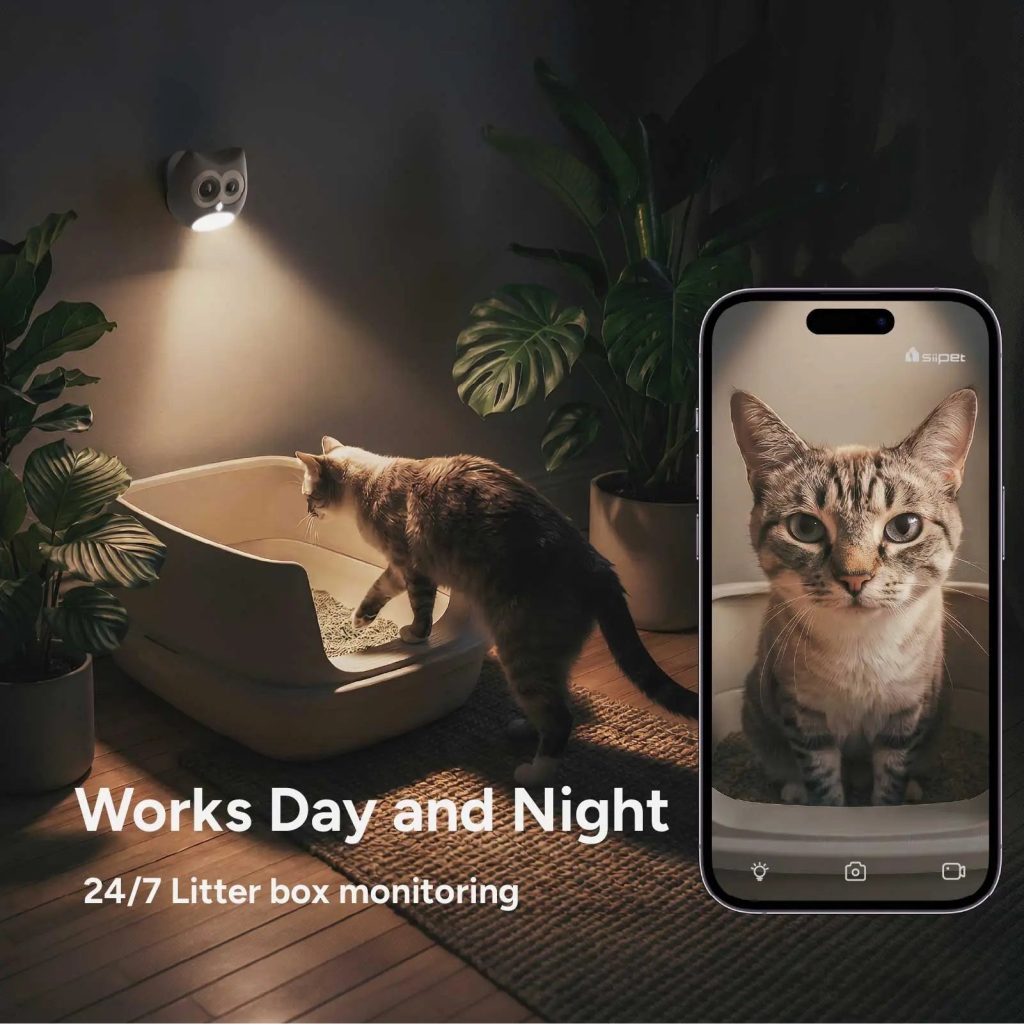
Night footage often reveals the earliest signs of urinary discomfort, since cats sometimes revisit the box repeatedly overnight before showing any daytime symptoms. Having those visits logged, timestamped, and viewable is one of the more understated benefits of the whole system.
Building a Weekly Health Rhythm
Once the camera has been running for two or three weeks, a natural rhythm forms. You will start recognizing what a normal day looks like for each cat, and the app’s baseline will do most of the alerting for you. Set aside a short weekly review, perhaps on the same day you refill food or change the litter. Scroll through the visit counts, check for any strain patterns, and note anything worth watching. Products like SiiPet’s LitterLens are designed around this idea of a lightweight, weekly rhythm rather than constant monitoring, which keeps the system sustainable long term.

Treat the camera as an assistant, not an oracle. It will not diagnose anything. What it will do is give you a reliable, evidence-based way to notice change earlier, ask better questions, and act sooner. In feline health, where cats are famously good at hiding discomfort, earlier almost always means better outcomes.
Common Setup Mistakes to Avoid
A few small missteps show up again and again in owner experiences. Placing the camera too close to the box entrance often causes overexposed footage and missed side-view details. Mounting it on the litter hood itself can transmit vibration into the clips, making motion detection unreliable. Skipping the firmware update on day one leads to features quietly not working. And forgetting to name each cat in the app leaves the identification system guessing longer than it needs to.

The good news is that all of these are quick to fix. Spend twenty minutes on the initial setup, revisit it after a week to fine-tune, and the system will largely take care of itself. SiiPet users often mention that the biggest surprise is how little the device asks of them once it is dialed in, which is exactly what a monitoring tool should feel like.
Turning a Quiet Corner Into a Health Signal
A litter box has always been a silent source of information. The only change here is that the information no longer disappears the moment the cat walks away. With the camera positioned well, the app tuned to your household, and a short weekly review built into your routine, you get a calm, evidence-based view of your cat’s health that used to require constant vigilance. The best part is how ordinary it starts to feel. After the first month, checking the app becomes a small habit, no more disruptive than refilling water, and the payoff is a sharper eye on the details that matter. For anyone caring for a senior cat, managing a multi-cat home, or simply wanting fewer surprises at the vet, that quiet corner of the house becomes one of the most informative places in it.