
Parivahan Sewa – Complete Guide to RC Status, RTO Vehicle Information & Online Transport Services
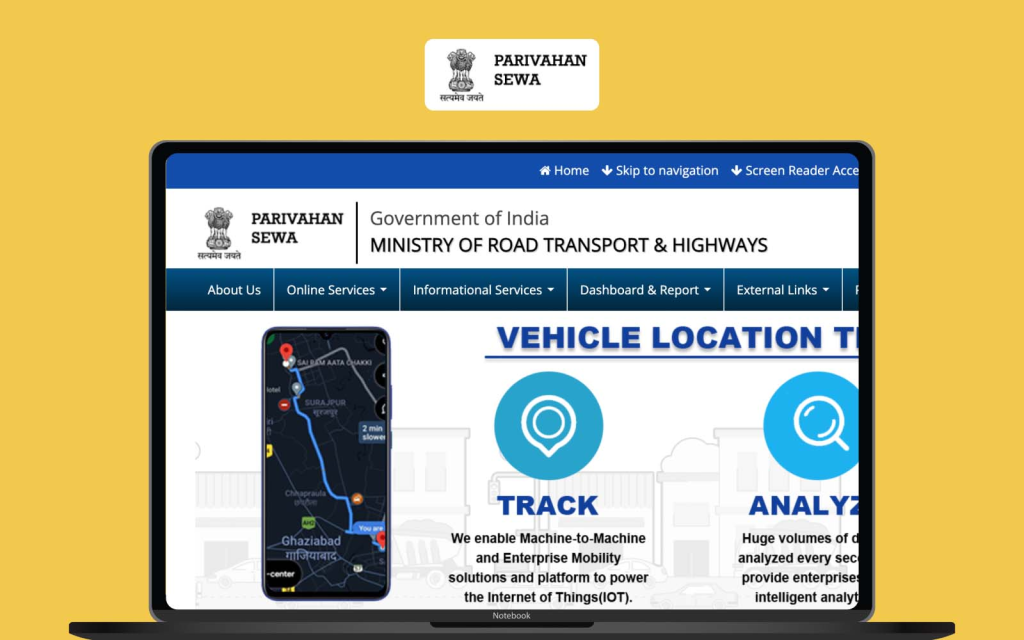
In the past, handling vehicle-related work meant visiting the Regional Transport Office (RTO), waiting in long queues, and dealing with complicated paperwork. Today, things have changed dramatically thanks to Parivahan Sewa, an online transport service platform designed to simplify vehicle and driving licence services for citizens.
Whether you want to check your vehicle registration details, verify challans, apply for a driving licence, or access RTO Vehicle Information, the Parivahan Sewa portal makes the entire process faster and more convenient.
This detailed guide explains everything you need to know about Parivahan Sewa, how it works, and how you can use it effectively. If you own a vehicle or plan to get a driving licence, this guide will help you understand the platform step by step.
What is Parivahan Sewa?
Parivahan Sewa is a digital transport service platform that provides vehicle and driving licence services online. It allows citizens to access important transport-related services without visiting the RTO office in person.
Through Parivahan Sewa, users can easily check registration certificates (RC), driving licence details, vehicle owner information, and traffic challans. The platform brings together multiple transport department services into a single system so that people can complete their tasks quickly and efficiently.
The main goal of Parivahan Sewa is to make government transport services transparent, accessible, and easy to use for the public.
Key Features of Parivahan Sewa
The Parivahan Sewa portal offers several useful features that help vehicle owners manage their transport-related tasks online.
Some of the most important features include:
- Online vehicle registration services
- Driving licence application and renewal
- RC status checking
- Traffic challan verification and payment
- Access to RTO Vehicle Information
- Permit services for commercial vehicles
- Digital vehicle documents through the mParivahan App
These features make Parivahan Sewa a complete digital solution for transport-related needs.
How to Check RC Status Using Parivahan Sewa
One of the most popular services offered by Parivahan Sewa is the ability to check your vehicle’s Registration Certificate (RC) status online.
Follow these steps to check RC status:
- Visit the official Parivahan Sewa portal.
- Navigate to the “Vehicle Related Services” section.
- Enter your vehicle registration number.
- Complete the verification process.
- Click on “Search Vehicle Details”.
After completing these steps, the system will display your vehicle’s registration details, including registration date, vehicle model, owner information, and registration validity.
Using Parivahan Sewa for RC verification saves time and eliminates the need to visit the RTO office.
How to Find RTO Vehicle Information Online
Accessing RTO Vehicle Information is extremely useful when buying a used vehicle or verifying ownership details.
Through Parivahan Sewa, you can check important details such as:
- Vehicle registration number
- Owner name
- Vehicle model and manufacturer
- Fuel type
- Registration date
- Vehicle class
- Insurance validity
To find RTO Vehicle Information, simply enter the vehicle registration number on the Parivahan Sewa platform and the system will display the available details.
This service helps people confirm whether a vehicle is genuine before purchasing it.
What is mParivahan?
While Parivahan Sewa is mainly accessed through a web portal, the government also introduced mParivahan, a mobile application that allows users to access the same services from their smartphones.
The mParivahan App is especially useful for people who need quick access to vehicle documents while travelling.
Through the mParivahan App, users can store digital copies of vehicle registration certificates and driving licences, which are legally accepted in many situations.
Features of the mParivahan App
The mParivahan App provides several convenient features for vehicle owners and drivers.
Key features include:
- Digital RC and driving licence storage
- Instant RTO Vehicle Information search
- Vehicle ownership verification
- Traffic challan details
- Transport services access through Parivahan Sewa
The mParivahan App acts as a portable digital wallet for your vehicle documents.
How to Download and Use the mParivahan App
Using the mParivahan App is simple and user-friendly.
Follow these steps:
- Open the Google Play Store or Apple App Store.
- Search for mParivahan App.
- Download and install the application.
- Register using your mobile number.
- Add your vehicle registration number to access details.
Once registered, you can easily check vehicle details, driving licence information, and other services available through Parivahan Sewa.
Services Available on Parivahan Sewa Portal
The Parivahan Sewa portal offers a wide range of services that simplify vehicle and licence management.
Driving Licence Services
Users can apply for:
- New driving licence
- Learner licence
- Licence renewal
- Duplicate licence
- Licence status tracking
All these services are available through the Parivahan Sewa system.
Vehicle Registration Services
Vehicle owners can perform tasks such as:
- New vehicle registration
- RC transfer after vehicle sale
- Duplicate RC application
- RC status verification
These services help maintain accurate RTO Vehicle Information records.
Challan Check and Payment
Another useful feature of Parivahan Sewa is the ability to check traffic challans.
Users can:
- Check pending challans
- View violation details
- Pay challans online
This feature ensures transparency and convenience for vehicle owners.
Step-by-Step Guide to Use Parivahan Sewa
If you are using Parivahan Sewa for the first time, follow this simple guide:
- Visit the official portal.
- Choose the service you need.
- Enter required vehicle or licence details.
- Complete verification using OTP if required.
- View or download your information.
This step-by-step process makes Parivahan Sewa easy to use even for beginners.
Benefits of Using Parivahan Sewa
The Parivahan Sewa platform offers several advantages for citizens.
Some key benefits include:
- Saves time and reduces RTO visits
- Easy access to RTO Vehicle Information
- Digital services available anytime
- Improved transparency in transport services
- Convenient licence and vehicle management
Because of these benefits, Parivahan Sewa has become an essential platform for vehicle owners.
Why the mParivahan App is Useful for Vehicle Owners
The mParivahan App adds extra convenience by bringing Parivahan Sewa services directly to your smartphone.
With the mParivahan App, users can quickly show digital documents to authorities without carrying physical copies.
This reduces the risk of losing documents and ensures that vehicle information is always accessible.
Common Problems and Solutions
While using Parivahan Sewa, some users may face minor issues.
Here are common solutions:
Problem: Vehicle details not showing
Solution: Double-check your registration number.
Problem: OTP not received
Solution: Ensure your registered mobile number is active.
Problem: Incorrect vehicle data
Solution: Contact your local RTO office for correction.
Understanding these solutions helps users make better use of Parivahan Sewa services.
Important Tips for Using Parivahan Sewa Safely
To ensure safe usage of Parivahan Sewa, follow these tips:
- Always use the official portal or mParivahan App.
- Do not share OTP or personal details with unknown websites.
- Verify vehicle details before purchasing a used vehicle.
- Regularly check challan status to avoid penalties.
These precautions help protect your personal and vehicle information.
Frequently Asked Questions (FAQ)
What is Parivahan Sewa used for?
Parivahan Sewa is used to access online transport services such as driving licence applications, RC status checks, and RTO Vehicle Information.
Can I check vehicle owner details online?
Yes, Parivahan Sewa allows users to check vehicle registration details by entering the vehicle number.
Is the mParivahan App legal?
Yes, the mParivahan App provides legally recognized digital copies of vehicle documents in many situations.
Can I pay traffic challans through Parivahan Sewa?
Yes, the platform allows users to check and pay traffic challans online.
Conclusion
Digital government services are making life easier for citizens, and Parivahan Sewa is a great example of this transformation. By providing online access to vehicle registration services, driving licence applications, and RTO Vehicle Information, the platform saves time and simplifies complicated processes.
Whether you want to check your RC status, verify a vehicle before buying it, or manage your driving licence services, Parivahan Sewa offers a reliable and convenient solution.
Combined with the mParivahan App, users can access important vehicle documents anytime and anywhere. For vehicle owners, drivers, and buyers, understanding how to use Parivahan Sewa can make transport-related tasks much easier and more efficient.